QR code image API
Turn any URL into a QR code image you can embed in Markdown, HTML or emails. No API key needed.
GET https://api.qrdx.dev/v1/qr returns a QR code as an SVG, PNG or WebP image, or as a vector EPS file for print and design tools. Everything is in the query string, so the URL itself is the image: paste it into a README, an <img> tag or an email template. It takes the editor's styles too: gradients, frames (custom frames included), borders, eye and dot colors and logo icons.
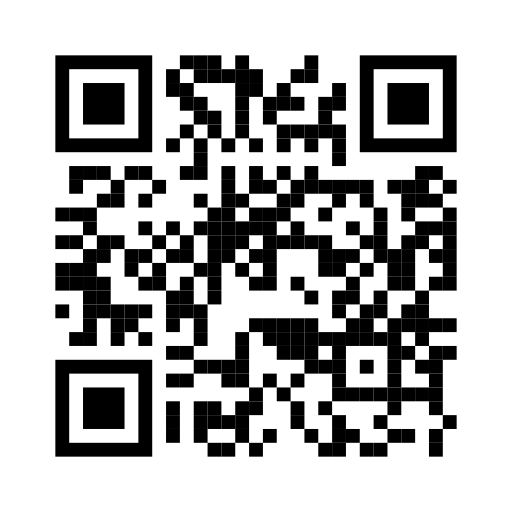No account or API key is required. The one exception is a logo you uploaded to QRdx (see Logos).
Try it in the playground: style a code there, then copy its image URL.
Examples
<img
  src="https://api.qrdx.dev/v1/qr?data=https://qrdx.dev&size=256&fg=155dfc"
  width="256"
  height="256"
  alt="QR code for qrdx.dev"
/>
Download a PNG with curl (quote the URL so your shell keeps the &):
curl -o qr.png "https://api.qrdx.dev/v1/qr?data=https://qrdx.dev&format=png&size=1024"Or a WebP: the same pixels as the PNG, lossless and transparency included, in a smaller file:
curl -o qr.webp "https://api.qrdx.dev/v1/qr?data=https://qrdx.dev&format=webp&size=1024"Get a vector EPS for Illustrator, InDesign or a print shop (size is the width in points, 72 per inch, so 144 is 2 inches):
curl -o qr.eps "https://api.qrdx.dev/v1/qr?data=https://qrdx.dev&format=eps&size=144"Stylised dots with a frame:
https://api.qrdx.dev/v1/qr?data=https://qrdx.dev&body=rounded&eye=rounded&dot=rounded&template=ArrowA built-in frame with its label, and a community frame by its id:
https://api.qrdx.dev/v1/qr?data=https://qrdx.dev&frame=banner-bottom&frameText=Scan%20the%20menu
https://api.qrdx.dev/v1/qr?data=https://qrdx.dev&item=frame:wifi-card
The whole design as JSON in style, here a gradient, red eyes and a frame:
const style = {
  fgColor: {
    type: "linear",
    angle: 45,
    stops: [
      { color: "#1d4ed8", offset: 0 },
      { color: "#7c3aed", offset: 100 },
    ],
  },
  eyeColor: "#b91c1c",
  frame: { style: "banner-bottom", text: "Scan the menu" },
};
const src = `https://api.qrdx.dev/v1/qr?data=${encodeURIComponent(link)}&style=${encodeURIComponent(JSON.stringify(style))}`;
Encode the data value when it contains &, #, + or spaces, for example with encodeURIComponent in JavaScript. Otherwise the URL is split at those characters. Encode style the same way.
Parameters
| Parameter | Default | Description |
|---|---|---|
data | required | Text or URL to encode, up to 2048 characters |
format | svg | svg, png, webp (lossless) or eps (vector PostScript; size is then the width in points) |
size | 512 | Width and height in pixels, 64 to 2048 |
fg | 000000 | Module color as hex (155dfc, fff, or 8 digits with alpha) |
bg | ffffff | Background color as hex. 00000000 gives a transparent background |
eyeColor | fg | Color of the three corner eyes |
dotColor | fg | Color of the dot inside each corner eye |
body | square | Shape of the data modules |
eye | square | Shape of the corner eye frames |
dot | square | Shape of the dot inside each corner eye |
level | Q | Error correction: L (~7%), M (~15%), Q (~25%) or H (~30%) |
margin | 4 | Quiet zone around the code in modules, 0 to 16 |
template | none | Decorative border template |
frame | none | A built-in call-to-action frame, such as banner-bottom, speech-bubble or circle (any of the 19 styles) |
frameText | Scan me | The frame's label, up to 24 characters. Also relabels the frame of a style or item |
style | none | The editor's whole design as JSON; see Styles |
item | none | A community frame or theme by id, such as frame:wifi-card; see Community items |
logoIcon | none | A quick icon or a brand logo in the center; see Logos |
logoFileId | none | A logo you uploaded, by file id; needs an API key; see Logos |
Write colors without the #, or encode it as %23: a bare # starts the URL fragment and is never sent. Enum values (level, format, template, frame) are case-insensitive.
With a frame, size is the width of the code itself and the frame adds to the image, in every format.
Styles
style takes the design as JSON with the same fields as a saved theme, so a theme from GET /v1/themes or the qrdxStyle that the MCP server's design_qr returns can be passed as it is (minus an uploaded logo, see below):
| Field | Takes |
|---|---|
bgColor, fgColor, eyeColor, dotColor | A color (hex such as #155dfc, rgb(), hsl() or a color name), or a gradient: { "type": "linear", "angle": 45, "stops": [...] } or { "type": "radial", "stops": [...] }, with 2 to 8 stops of { "color", "offset" } (offset 0 to 100) |
bodyPattern, cornerEyePattern, cornerEyeDotPattern | The pattern values |
level, margin | As the parameters above (margin 0 to 16) |
templateId | A border template, default for none |
frame | A built-in frame, { "style": "banner-bottom", "text": "Scan me", "color": "#155dfc", "textColor": "#ffffff" }, or a custom one, { "style": "custom", "spec": { … } }, with a frame spec from the community or a custom frame made in the playground's Frame section. Specs are checked against the engine's frame-spec rules (no markup, links or images; at most 32 KB) |
eyeColors | Colors per eye, over eyeColor and dotColor: { "topLeft": { "outer": "#b91c1c", "inner": "#1d4ed8" }, "topRight": …, "bottomLeft": … }, each a color or a gradient |
moduleScale | Size of each dot, 0.5 to 1 (default 1) |
shape | square (default) or circle: the code in a disc of decorative dots |
autoLevel | Raise error correction to H when the logo covers more than 7% of the code (always on here when there's a logo) |
logoOptions | The logo's layout: size (0.1 to 0.3 of the code's width; QRdx shrinks it when the code can't spare the modules), padding (0 to 2 modules), x and y (0 to 1), shape (square, rounded or circle crop) and plate (a color behind it) |
showLogo, logoIcon, logoFileId | See Logos |
style also takes the style value of a playground link (it starts with 1.), so a design shared from the playground renders as it looks there, without its logo.
Fields you set with the flat parameters (fg, body, frame and the rest) win over style, and style wins over item. Unknown fields, logo addresses (customLogo) and Logo QR or Image QR art (art) are refused with a 400 that says why.
Community items
item renders a published community frame or theme, free under CC0. Find ids with GET /v1/community/items, or open an item page and use its type and slug: /community/frames/wifi-card is frame:wifi-card. A frame item sits on a plain black-on-white code; add style or flat parameters to change the code under it.
Logos
- Quick icons.
logoIconputs one of the editor's icons on a white tile in the center:wifi,location,phone,email,link,file,calendar,whatsapporinstagram. QRdx draws them itself, and they need no key. - Brand logos.
logoIconalso takes any of the 3,467 brands from Simple Icons by slug:spotify,paypal,googlemaps,appstore. The mark is drawn bare in its brand color; add:blackor:whitefor those colors (whatsapp:white), andlogoOptions.plateinstylefor a plate behind it.GET /api/brand-logoslists every slug. A slug QRdx doesn't have gets a400. - The QRdx mark that the editor shows by default isn't drawn here:
showLogo: truealone adds no logo. - Error correction rises for a logo. When a logo covers more than 7% of the code, the code is drawn at level
H, whateverlevelsays, so it still scans.
Your own logo. logoFileId draws a PNG or JPEG of up to 1 MB that you uploaded in Dashboard → Files. The id is the last part of the file's link, https://qrdx.dev/api/files/<id>. Send an API key of the workspace that owns the file:
curl -o qr.png -H "Authorization: Bearer $QRDX_API_KEY" \
  "https://api.qrdx.dev/v1/qr?data=https://qrdx.dev&format=png&logoFileId=<id>"
The response is private (Cache-Control: private, no-store) and counts toward the workspace's daily API quota. A file from another workspace gets 404, and a request without a key gets 401. QRdx reads the image from its own storage and checks that it really is a PNG or JPEG; it never fetches a logo from a web address you send.
logoOptions sizes, places, crops and backs any of these logos. Removing an uploaded logo's own background is done in the playground; the image API draws the uploaded file as it is.
Logo QR and Image QR art aren't available here: the playground builds them from your picture in the browser, and the image API doesn't build art from uploads. Design art codes in the playground.
Pattern values
body:circle,circle-large,square,diamond,circle-mixed,pacman,rounded,small-square,vertical-line,horizontal-line,liquid,liquid-horizontal,liquid-vertical,classy,classy-rounded,leaf,plus,hexagon,star,heart,random-dots,mosaic,octagoneye:square,rounded,gear,circle,diya,extra-rounded,message,pointy,leaf,drop,octagon,bevel,squircle,cushion,shield,petal,leaf-reversedot:square,rounded,circle,message,message-reverse,diya,diya-reverse,rounded-triangle,leaf,drop,plus,cross-rounded,hexagon,octagon,flower,heart,squircle,dots,extra-rounded,leaf-reverse,drop-reversetemplate:default,Arrow,StandardBox,SquareBorder,StrikedBox,Halloween
These are the same styles as the qrdx React library. The MCP server can also list them with short descriptions.
Responses
A successful request returns the image with:
Content-Type: image/svg+xml,image/pngorapplication/postscript(EPS is sent as aqr-code.epsdownload)Cache-Control: public, max-age=31536000, immutable, except for renders withitem(5 minutes, 10 at the CDN, since an item can get a new version or be taken down) and withlogoFileId(private, no-store)Access-Control-Allow-Origin: *, so you canfetchit from any website
Rendering is deterministic: the same query string always returns the same bytes, which is why responses can be cached for a year. URLs that use only the original parameters render exactly as they always have.
Invalid parameters return 400 with a JSON body that names each problem:
{
  "code": "VALIDATION_ERROR",
  "message": "Invalid query parameters",
  "data": {
    "details": [
      { "param": "size", "message": "Too small: expected number to be >=64" }
    ]
  },
  "status": 400
}
Data that doesn't fit in a QR code at the chosen error correction level also returns 400 with param: "data". Use a lower level or shorter data.
Limits
- Rate limit: 300 requests per minute per IP address. Over the limit you get
429with aRetry-Afterheader. - No scan check. The image API draws what you ask for. To check and repair a design's scan score first, use
design_qron the MCP server, or the scan score in the playground. styleis up to 8,192 characters in the URL, and its JSON up to 40 KB.- The data is part of the URL. Like any URL, it can end up in server logs, browser history and caches. Don't put passwords or other secrets in it.
Scanning tips
- Keep
marginat2or more when the image sits on a dark or busy background, such as a README in GitHub's dark mode. - Keep good contrast between
fgandbg. Dark modules on a light background scan most reliably. - The defaults (square modules, 4-module margin) scan on every reader. Stylised shapes such as
circledots look softer but some older scanners read them less reliably — check with the scan checker. - Test the code with a few phones before printing it.
Self-hosting
The endpoint is part of the QRdx web app, so a self-hosted instance serves it at /api/v1/qr on your own domain (for example https://qr.example.com/api/v1/qr?data=…). The short /v1/qr path only works on api.qrdx.dev. Rate limiting uses Upstash Redis when it is configured and is off otherwise.
Last updated on
Build an integration
Create an OAuth app, let people connect their QRdx account with OAuth 2.0 and PKCE, call the REST API on their behalf and get listed in the integrations directory.
Replace the Google Chart QR code API
QR codes from chart.googleapis.com now return 404. Map chl, chs and chld to the free QRdx image API, and update old URLs with one command.