Free QR code API
Put a QR code anywhere a URL can go. One GET request to api.qrdx.dev returns the image itself: no account, no API key, no SDK. Colors, shapes, error correction and a logo go in the query string.
It draws with the same open-source engine as the QRdx playground. The same query always returns the same bytes, so responses are cached for a year and an image in a README, an email or a web page is served from the cache after the first request.
- No key or signup
- 300 requests a minute per IP
- SVG, PNG, WebP and EPS
- Open source
Try it
Build a QR code URL
Change anything on the left; the preview is the live API. Copy the URL, the HTML or the curl command when it looks right.
https://api.qrdx.dev/v1/qr?data=https://qrdx.dev<img src="https://api.qrdx.dev/v1/qr?data=https://qrdx.dev" width="256" height="256" alt="QR code for https://qrdx.dev" />curl -o qr.svg "https://api.qrdx.dev/v1/qr?data=https://qrdx.dev"Examples
The URL is the image
Paste it into Markdown, an img tag or an email template, or download a file with curl. Encode the data with encodeURIComponent (or your language's equivalent) when it contains an ampersand, a hash, a plus sign or spaces.
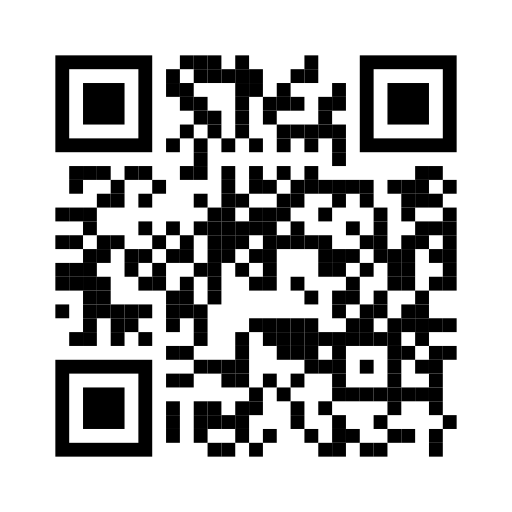<img
  src="https://api.qrdx.dev/v1/qr?data=https://qrdx.dev&size=256&fg=155dfc"
  width="256"
  height="256"
  alt="QR code for qrdx.dev"
/># A PNG for slides and documents
curl -o qr.png "https://api.qrdx.dev/v1/qr?data=https://qrdx.dev&format=png&size=1024"
# A vector EPS for print (size is the width in points)
curl -o qr.eps "https://api.qrdx.dev/v1/qr?data=https://qrdx.dev&format=eps&size=144"const link = "https://example.com/menu?table=12&lang=en";
// Encode the data: it holds & and ?
const src =
"https://api.qrdx.dev/v1/qr?data=" +
encodeURIComponent(link) +
"&logoIcon=link&level=H";
document.querySelector("#menu-qr").src = src;Reference
Parameters
Everything goes in the query string. Gradients, custom frames and per-eye colors go in style, the editor's design as JSON; the image API docs cover every field.
| Parameter | Default | What it does |
|---|---|---|
| data | required | The text or URL to encode, up to 2,048 characters. |
| size | 512 | Width and height in pixels, 64 to 2,048. For EPS it's the width in points. |
| format | svg | svg, png, webp (lossless) or eps (vector, for print). |
| fg, bg | 000000, ffffff | Code and background color as hex, without the # (155dfc). bg=00000000 makes the background transparent. |
| body, eye, dot | square | Shapes of the modules, the corner eyes and the dots inside them: 23 module shapes in all. |
| level | Q | Error correction: L (7%), M (15%), Q (25%) or H (30%) of the code can be damaged and it still scans. |
| margin | 4 | The quiet zone around the code, in modules, 0 to 16. |
| logoIcon | none | A logo in the center: a quick icon such as wifi, link or phone, or any of 3,467 brand logos by Simple Icons slug. |
| frame, frameText | none | A call-to-action frame such as banner-bottom, with frameText as its label. |
| style | none | The editor's whole design as JSON: gradients, custom frames, per-eye colors and logo layout. |
In production
Limits, caching and privacy
300 requests a minute per IP
Over the limit you get a 429 with a Retry-After header. Identical URLs are served from the cache, so showing the same image again rarely reaches the limit.
Cached for a year
Same query, same bytes. Responses are sent with Cache-Control: public, max-age=31536000, immutable, so browsers and CDNs keep them. A community item render is cached for 5 minutes, since the item can change.
Works from any website
Responses allow every origin (Access-Control-Allow-Origin: *), so browser code can fetch the image as well as show it.
Keep secrets out of the URL
The data is part of the URL, so it can end up in server logs, browser history and caches. A Wi-Fi password in a public README is public.
It draws what you ask for
The image API doesn't check whether a design scans. Keep strong contrast and test with a phone; the MCP server's design_qr tool checks and repairs a style for you.
Self-host it
The API is part of the open-source QRdx app, so your own instance serves it at /api/v1/qr on your domain.
Static or dynamic
When you need the REST API instead
The image API makes static codes: the data is inside the code, so it never expires but can't change after printing. For codes you can point somewhere else later, with scan analytics, use the REST API with a free API key.
Image API
- No key or account
- Static codes: the data is in the image
- SVG, PNG, WebP and EPS
- 300 requests a minute per IP
REST API
- A workspace API key from a free account
- Dynamic codes you can edit after printing
- Scan analytics, folders, tags and webhooks
- 10 dynamic codes on the free plan, with unlimited scans
More ways to make QR codes from code
QR code API FAQ
Is there a free QR code API without an API key?
Yes. GET https://api.qrdx.dev/v1/qr?data=… returns a QR code image with no key, account or signup. It allows 300 requests a minute per IP address, and identical URLs are cached for a year.
Can the QR code API add a logo?
Yes. logoIcon puts a quick icon (Wi-Fi, link, phone, email and more) or any of 3,467 brand logos from Simple Icons in the center, with no key. The code switches to error correction H when the logo needs it, so it still scans.
Which image formats does it return?
SVG by default, or PNG, lossless WebP and vector EPS with format=png, webp or eps. Sizes go from 64 to 2,048 pixels.
Do the QR codes expire?
No. The image API makes static codes: what you encode is inside the code, so it works for as long as the link or text in it does. Nothing expires and nothing counts scans.
Can I change where a code points after printing?
Not with the image API. For that you need a dynamic code, created in the QRdx dashboard or with the REST API and a free API key. The free plan includes 10 dynamic codes with unlimited scans.
Can it replace the Google Chart QR code API?
Yes. Change the host and path, rename chl to data and chs to size (QR codes are square, so one number), and set level and margin from chld. Parameters it doesn't know, such as cht and choe, are ignored. The migration guide has the full mapping.
What happens if I go over the rate limit?
You get a 429 response with a Retry-After header saying when to try again. Identical URLs are cached for a year, so an image shown on a busy page is usually served from the cache.
Can an AI assistant use it?
Yes. The QRdx MCP server's generate_qr_code tool returns these image URLs, and an assistant without MCP can write the URL itself as a Markdown image.